
HTC Gold Card Maker+Root Tutorial+Official Rom Flashing
Goldcard making tutorial
- Download & install adb fastbood driver Here(no need to Download crap android SDK)
- If you install this Driver yu can launch adb command from anywhere
- Download this simplegoldcard maker
- Take a memory card nd format usng FAT32.
- Enable usb debugging n yur mobile
- Connect it to the pc
- Run the SimpleGoldCard
- Now do like

- Click here to download yur goldcard image file Click Here

- after got goldcard img follw the picture below

- Put yur gold card memmory to yur mobile
- Download nd flash any official RUU on yur mobile vit out errors.
Procedure 2 get cid using command
- Enable usb debugging
- connect it to yur pc
- Run cmd the type[ adb devices ] press enter
- if yur mob is cnnted correctly yu sud see lik below given n the picture

- Then type [adb shell] press enter
- Type [cat /sys/class/mmc_host/mmc1/mmc1:*/cid ] press enter (low end mobiles must hav memory card inserted)
above doest work tye this [ cat /sys/class/mmc_host/mmc0/mmc0:*/cid ] press enter picture below

- After get the CID go to this site to generate yur gold card image filePress me
- Note this is not reversed CID its Normal Cid so enter the CID into normal CID box picture below

- after generate the goldcard img use simple goldcard maker tool to create gold card folow above procedure
Rooting + Bootloader unlocking &Custom recovery
- Make sure your phone is at least 60% charged.
- Register for an account at HTCdev.
- Enable USB debugging in your phone's Developer options.
- Un-check "Fast boot" on your phone by going to Settings -> Battery Manager.
- Install ADB and Fastboot on your computer. Download here
- Make sure to back up all of your app data using either ADB or HTC Sync, because you will be wiping your phone.
- Install the HTC One M8 drivers on your computer (if you have HTC Sync installed, then you already have them).
Unlock Bootloader
Step 1: Enter Fastboot Mode Place your device into fastboot mode by plugging in your HTC One to your computer, then powering it down by holding both the Power and Volume Down buttons until you see the screen below.
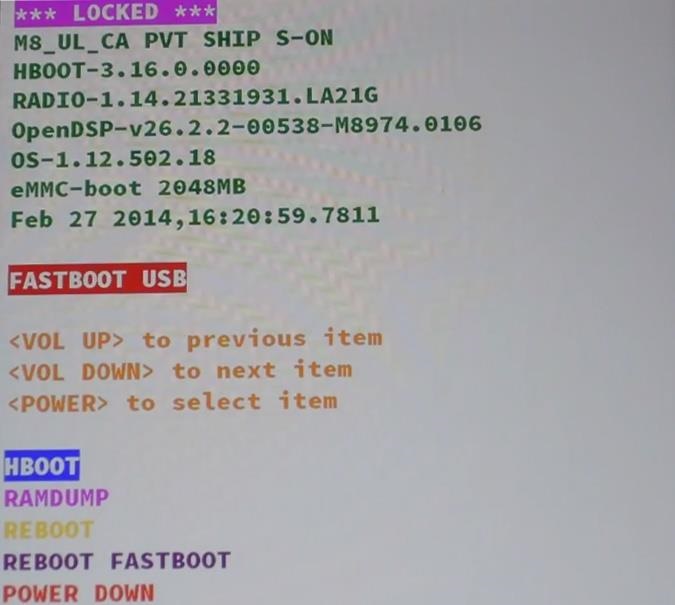
Step 2: Run cmd command there enter below given command nd press enter
Code:
fastboot oem get_identifier_token
Step 3: Copy the Token
Now copy the code you get, but do not include the first (bootloader) portions.To copy the token right click on it select mark den press ctrl+v n yur keyboard to copy the token.
Step 4: Log into HTCdev
Go to HTCdev and log in to your account.
Step 5: Get Your Code Emailed to You
Select Unlock Bootloader and then Get Started.
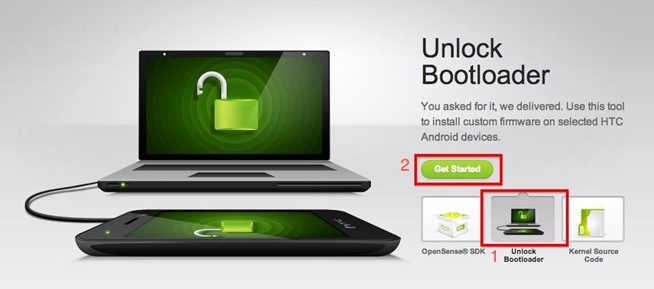
From the drop-down menu, select HTC One (M8) (or just HTC One for the older M7 model, if that's what you're unlocking), then click on Begin Unlock Bootloader.
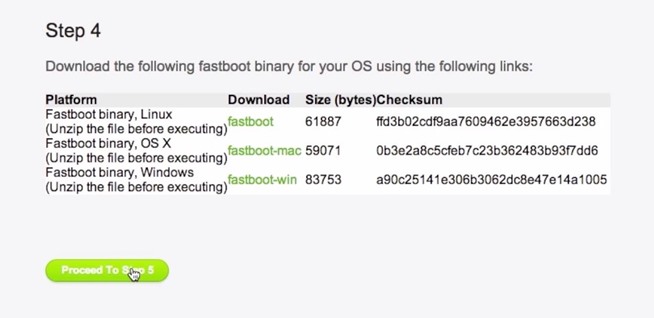
Agree to the terms and conditions and click Proceed to Unlock. On the next page, scroll all the way down and click on Proceed to Step 5.
Now paste the identifier token you copied in Step 3 into its corresponding box near the bottom (called My Device Identifier Token) and click Submit.
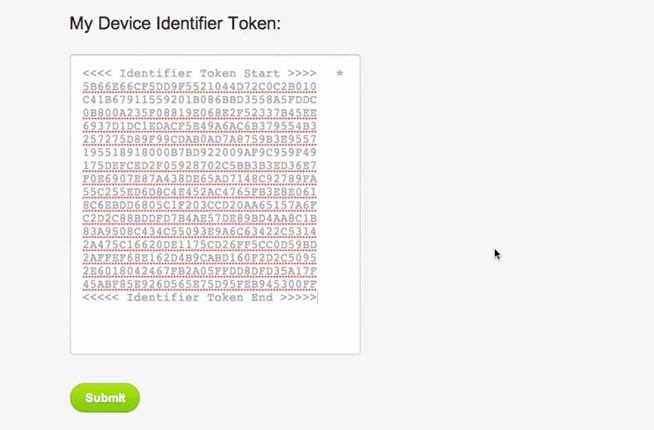
Step 6: Download the Unlock Code
The Unlock Code will be emailed to you, so once you receive the email, download the attachment and place it on your Desktop.
Step 7: open command window from where yu saved the file
Step 8: Enter the command below given nd press enter
Code:
fastboot flash unlocktoken Unlock_code.bin
Step 9: Confirm on Your HTC One
Your phone will now prompt you to unlock your bootloader, so using the Volume Up button, select Yes and confirm your unlock with the Power button.
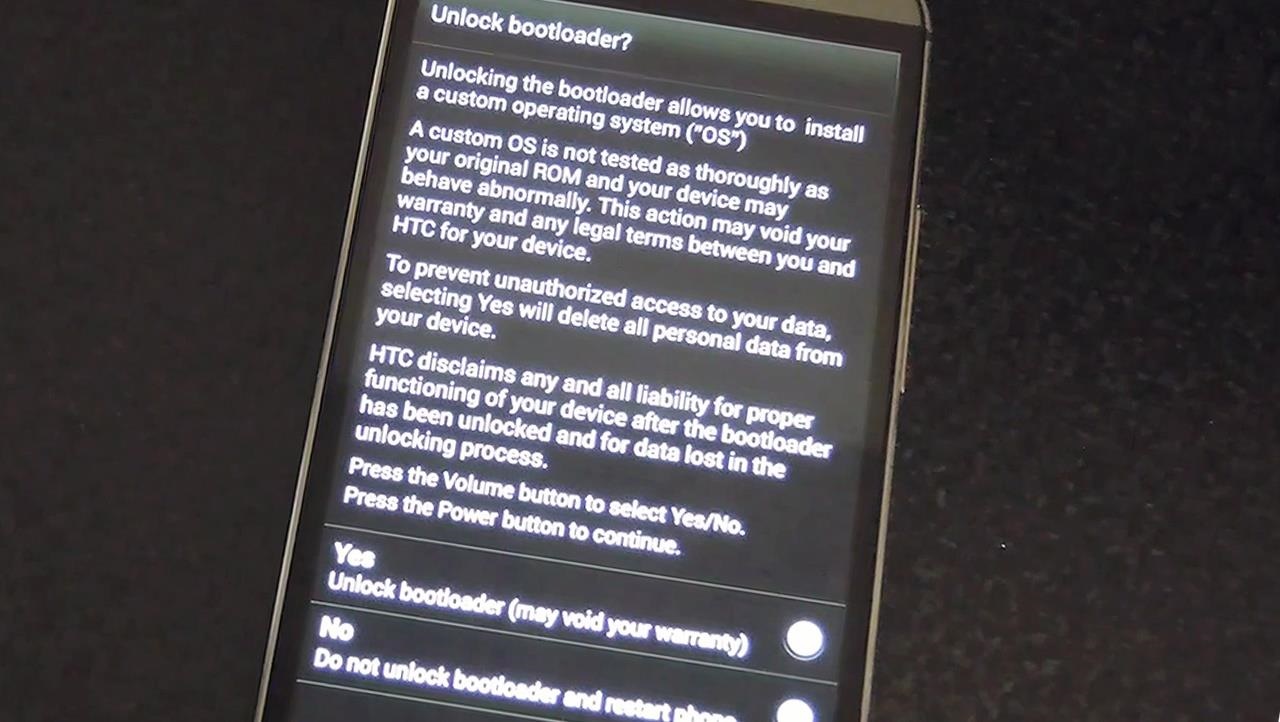
Your phone will now reboot and your bootloader will be unlocked!
After the reboot, you will need to set up your device again as if it were new. After getting set up, make sure to re-enable USB debugging and plug it back into your computer.Un-check "Fast boot" on your phone by going to Settings -> Battery Manager.
Now flash custom recovery to yur mobile. if yu hav international or other carrier mobile search latest TWRP or CMW recovery img file for yur mobile nd save to the desktop.nd rename the file as recovery
Put yur mobile into fastboot mode by pressing Power and Volume Down buttons den power button to select fastboot mode.connect to the pc
shift+right click to launch the command window there give the below given command nd press enter
Code:
fastboot flash recovery recovery.img
Reboot yur device Download super su from here nd place to yur phone memory put yur mobile into recovery flash supersu.zip
Done rooting....
HTC Gold Card Maker+Root Tutorial+Official Rom Flashing
![]() Reviewed by MartviewForum
on
19:36:00
Rating:
Reviewed by MartviewForum
on
19:36:00
Rating:


No comments: